

Workflow
API key required
The Marketplace shows this app only to instances with an API key. You can request the key from BW-Tech GmbH. In the Market app, open Settings, click Add API Key, paste the key, and click Save. If the app does not show up in the catalog afterwards, click Clear cache. Details are under Market: Enter an API key. This page covers version 1.1.4.
Workflow assigns tags automatically on upload, based on rules, and deletes files with a certain tag after a set period. Admins define the rules. Users only see the result: tags on their files and files that disappear when the period ends.
Requirements
| Component | Requirement |
|---|---|
| owncloud.online | 11.x |
| PHP | 8.4. The app declares PHP 7.4 to 8.4 and cannot be enabled on newer versions |
| Core app | systemtags for the tags, enabled |
| Background jobs | Cron is running, otherwise retention deletes nothing, see Background jobs (cron) |
Installation
-
Enter the API key in the Market app as described in the box above.
-
Install the app.
market:installalso enables it:bashsudo -u www-data php8.4 occ market:install workflow # only needed if the app is present but disabled sudo -u www-data php8.4 occ app:enable workflow
You can also put the key into config/config.php:
'marketplace.key' => '<KEY>'. It then takes precedence and can no longer be
changed in the web interface. If market:install does not find the app even
though the key is set, the catalog is still cached from before the key: clear
the cache in the Market app or wait 30 minutes.
Setup
Both parts of the app are under Settings → Admin → Workflows & Tags, in the sections Workflow and Retention periods.
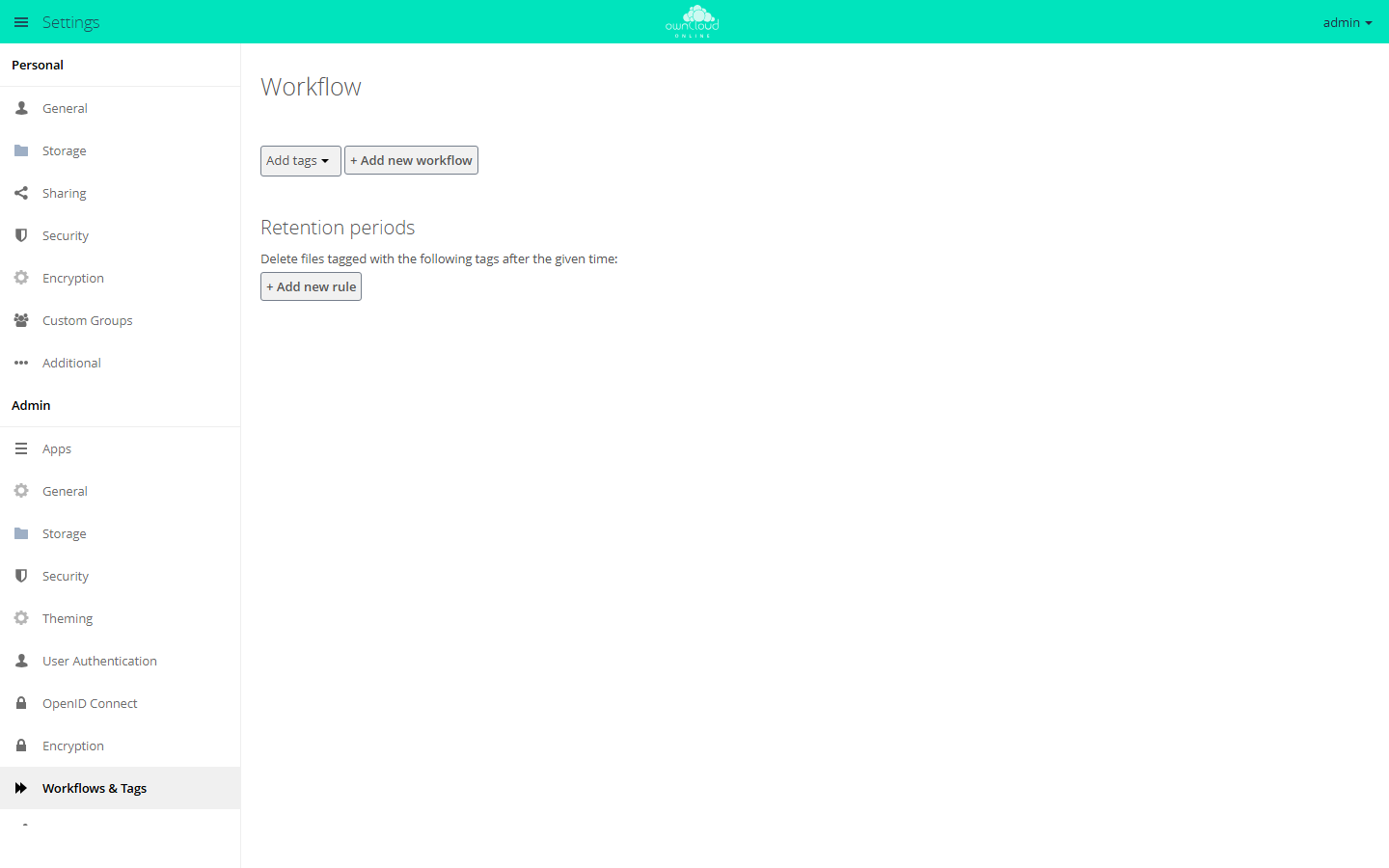
Workflows assign tags automatically. Retention periods delete files with certain tags after the set time.
Assign tags automatically
- In the Workflow section, leave the selection on Add tags and click + Add new workflow.
- Enter a name.
- Under Conditions:, add one or more conditions with Select a condition. All of them must match.
- Under Add tags:, pick the tags. If you type a tag that does not exist yet, the selection creates it.
- Click Add workflow to save. The workflow takes effect right away.
If several workflows match, all of them run.
The selection offers these conditions: File size, File mimetype, User group, Device type, Request type, Request URL, User agent, Request time, System file tag, Client IP Subnet (IPv4) and (IPv6), and Server IP Subnet (IPv4) and (IPv6). Operators and values are described under Rules and retention.
Retention periods
- In the Retention periods section, click + Add new rule.
- Pick a tag, enter a number, and choose the unit: Days, Weeks, Months, or Years.
- Click Add rule to save.
Each tag can have only one period, and a period can be up to 100 years long.
A background job deletes files and folders that are older than the period and
carry the tag themselves or on a parent folder. The file's modification time counts. Deleted
files go to the trash bin as long as the app files_trashbin is enabled. When
a tag is deleted, the app removes its period as well.
Options in config.php
| Key | Values | Effect |
|---|---|---|
workflow.retention_engine |
tagbased (default), userbased |
tagbased works per tag with a period, userbased walks through the files of each account. Only userbased offers Delete empty folders that have not been modified for … days in the panel |
workflow.tag-based-retention.use-upload-time |
false (default), true |
The period counts from the upload instead of the last change |
workflow.branded_clients |
User agent patterns and device types | Your own clients for the Device type condition |
sudo -u www-data php8.4 occ config:system:set workflow.retention_engine --value=tagbased
sudo -u www-data php8.4 occ config:system:set \
  workflow.tag-based-retention.use-upload-time --value=true --type=boolean
With use-upload-time, retention deletes only files that have a recorded
upload time. The app records it for new files only after you turn this on:
sudo -u www-data php8.4 occ config:app:set workflow record_upload_time --value yes
Files without an upload time are kept, and the server log shows
No upload time stored for file id ….
Add your own clients for the Device type condition like this:
'workflow.branded_clients' => [
    'MyBrandedClient/*' => 'desktop_branded',
],
Usage
Users do not set anything. Tags assigned automatically appear in the file's sidebar, as long as the tag is visible. When a period ends, the file disappears and goes to the trash bin under Deleted files.
Limits and notes
- The app assigns tags only when a file is created. Later changes to the file do not trigger the workflows.
- If a System file tag condition names a tag that no longer exists, the condition counts as not met. The server log has a warning about it.
- There is no dry run and no test mode. Try a new period on a separate tag with a few files first.
- The app has no
occcommands of its own. You manage workflows and periods in the web interface only. - A new period takes effect at the next run at the earliest. With
tagbased, a management job checks every hour, and the deletion run per tag happens every 24 hours. - Retention never deletes a mount point itself, so neither a received share nor the folder of an external storage. It does not descend into received shares. It deletes tagged files at the owner's side, so they disappear for the recipients as well.
- You cannot set different periods per account, group, or folder. The only thing you control is where the tag is attached.
- For an age limit on all files, without tags, use the Auto Expire app.
All conditions with their operators, both retention engines in detail, and a troubleshooting table are under Rules and retention.