

Admin Config Report
The app collects the configuration of an instance in one JSON file: version,
apps, database, PHP, external storage, and the contents of config.php. It is
meant for support cases: instead of a long back-and-forth, support gets one
file. Before writing the file, the app replaces passwords and other secrets
with a placeholder.
Availability
Public in the Marketplace, no API key needed. App ID configreport,
version 0.4.5. Name in the Market: "Admin Config Report".
Requirements
| Area | Requirement |
|---|---|
| owncloud.online | 11.x |
| PHP | 8.4 or later |
The app needs no other services or PHP extensions.
Installation
In the web interface: open Market from the app menu in the top left corner, search for "Admin Config Report", and click Install.
On the command line:
sudo -u www-data php8.4 occ market:install configreport
If the app is already installed and only disabled:
sudo -u www-data php8.4 occ app:enable configreport
Create a report
In the web interface: Settings → Admin → General, section
Generate Config Report, button Download owncloud.online config report.
The browser downloads the file config_report_<YYYYMMDD>.json.
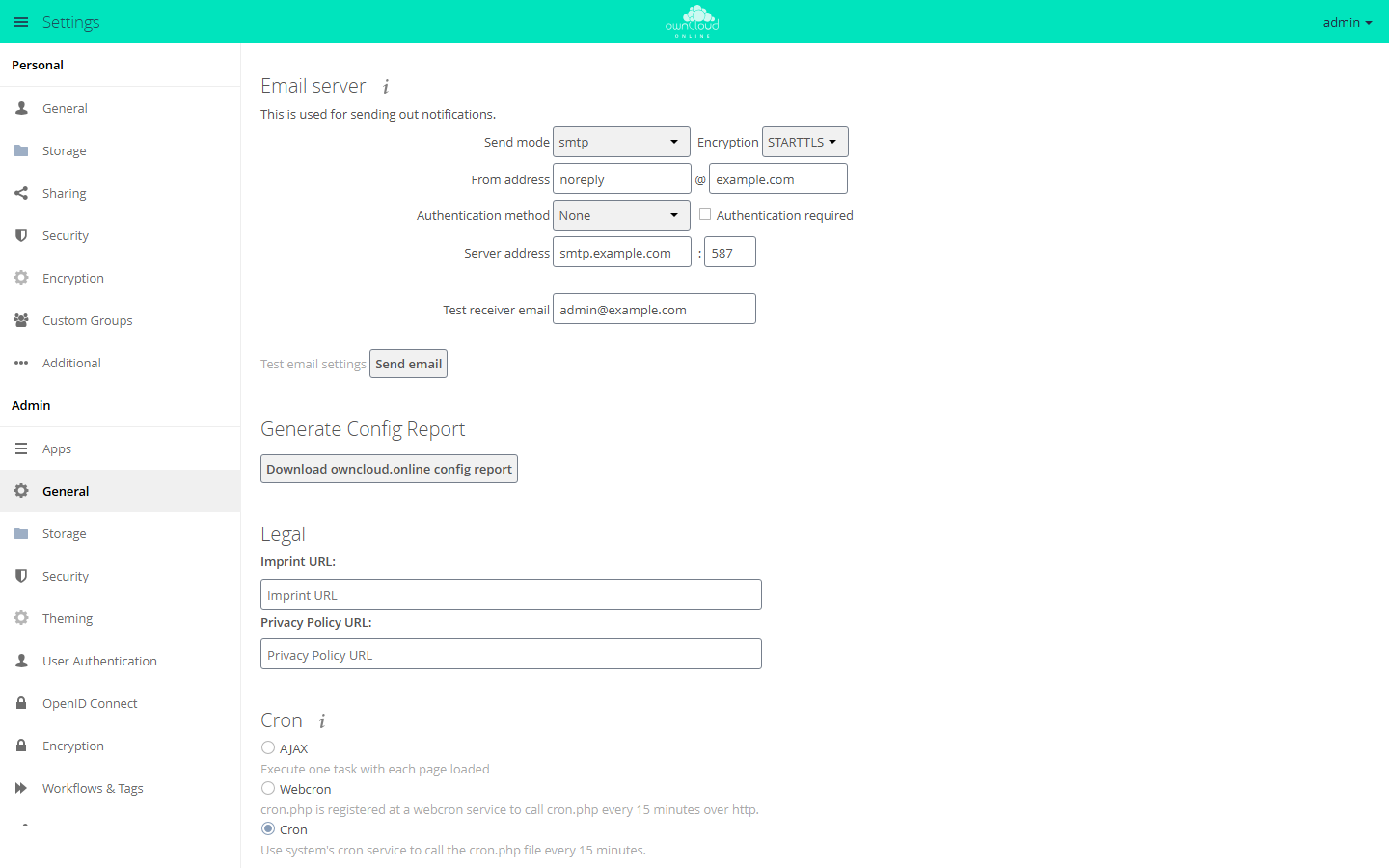
The Generate Config Report section sits under Admin → General, between Email server and Legal.
On the command line, the command writes the report to standard output:
sudo -u www-data php8.4 occ configreport:generate > config_report.json
This also works when the web interface is no longer reachable.
Contents
| Section | Content |
|---|---|
basic |
date, server version, operating system, web server, host name, display name of the account that created the report, Linux distribution, Docker yes or no |
stats |
number of accounts per user backend (total, guests, logged in at least once, logged in during the last 30 days), number of groups per backend |
config |
contents of config.php |
integritychecker |
result of the integrity check |
core |
core settings from the database |
apps |
the installed apps with version and state, plus the settings of enabled apps |
mounts |
external storage set up by an admin, with type, authentication, options, and assigned accounts and groups |
tables |
database structure: tables, columns, and indexes, no contents |
migrations |
database migrations run per app |
phpinfo |
PHP version, loaded extensions, and php.ini values, without environment variables |
What is replaced and what remains
The app replaces these values with ***REMOVED SENSITIVE VALUE***:
- Values whose key points to a secret:
password,passwd,pwd,secret,token,salt,credential,api_key,private_key, and keys namedkeyor ending in_key,-key, or.key. This also applies to nested values and app settings, for exampledbpassword,passwordsalt,secret, and the key of the Market app. - Passwords and hidden credentials of external storage, for example OAuth tokens or the private key of an SFTP login.
Switches such as token_auth_enforced stay, as do all values that are not
secrets: paths, host names, database names, and account names. Read the report
before you send it to anyone.
The app sends nothing on its own. A report is created only on request and leaves the server only when you pass it on.
Limits and notes
- Only admins can create the report.
- A report from the web interface contains the host name and the display name of the logged-in account. On the command line, both are missing.
- Personal external storage of individual accounts is not part of
mounts. - In owncloud.online 11.0.25, the app is on the list of shipped apps
(
core/shipped.json). For this reason,occ market:uninstall configreportrefuses to remove it ("Shipped apps cannot be uninstalled"). Disabling works as usual withsudo -u www-data php8.4 occ app:disable configreport.