

First run wizard
The app shows every account a welcome window over the Files view after the first login. It links to the desktop client, Google Play, and the App Store, and to guides on calendar, contacts, and WebDAV access. Once closed, the window does not come back on its own, but users can open it again from their personal settings.
Availability
Public in the Marketplace, no API key needed. App ID firstrunwizard,
version 1.3.3. Name in the Market: "First run wizard".
Requirements
| Area | Requirement |
|---|---|
| owncloud.online | 11.x |
| PHP | 8.4 or later |
Installation
In the web interface: open Market from the app menu in the top left corner, search for "First run wizard", and click Install.
On the command line:
sudo -u www-data php8.4 occ market:install firstrunwizard
If the app is already installed and only disabled:
sudo -u www-data php8.4 occ app:enable firstrunwizard
After you enable the app, existing accounts also see the window the next time they open Files. The app only remembers who closed it.
What users see
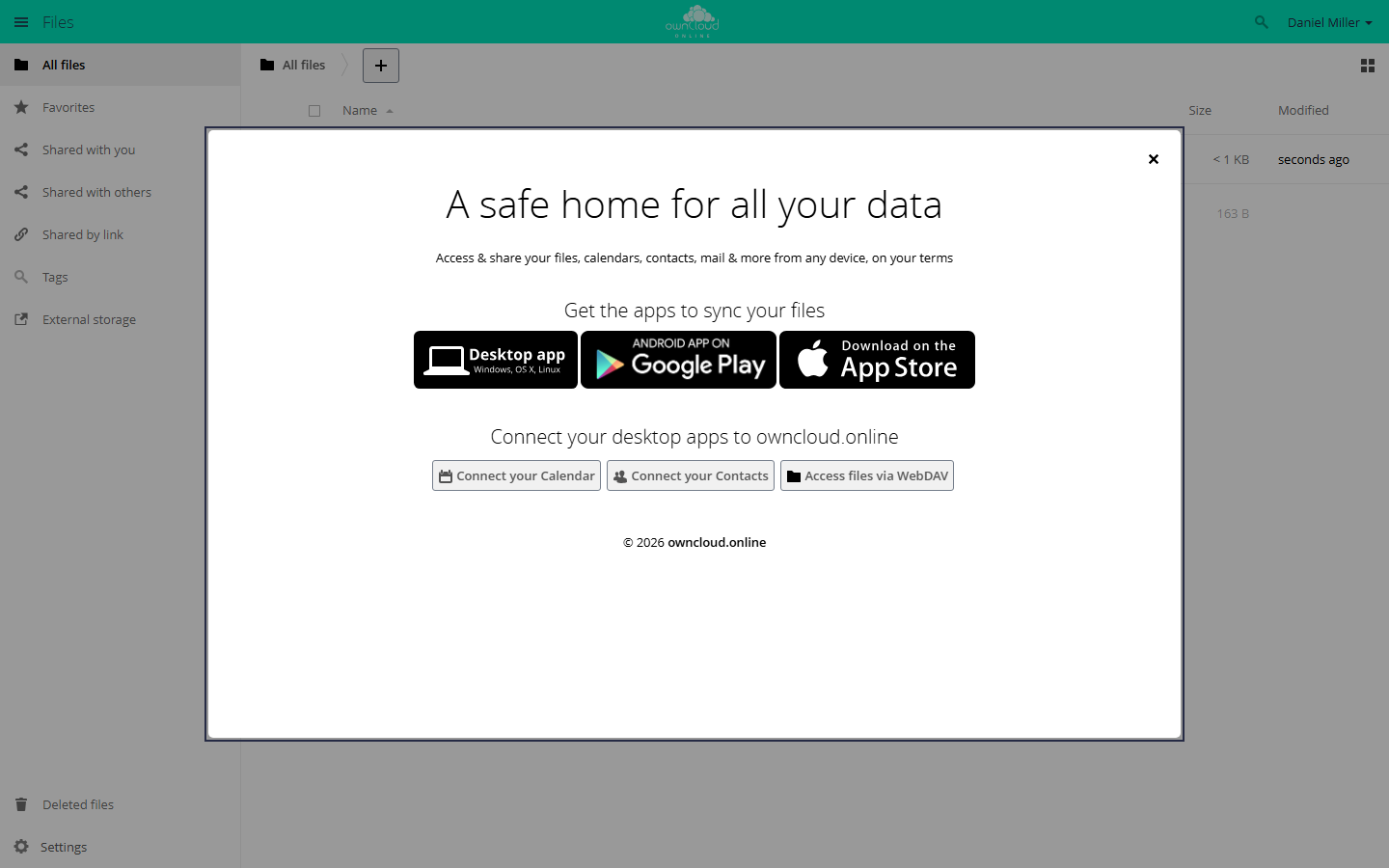
At the first login, a welcome window shows links to the apps.
| Part of the window | Content |
|---|---|
| Get the apps to sync your files | links to the desktop client, Google Play, and the App Store |
| Connect your desktop apps to … | Connect your Calendar, Connect your Contacts, and Access files via WebDAV lead to this documentation |
Users close the window with the X in the top right corner, with Esc, or by clicking outside it. After that, it does not appear again. To open it again, go to Settings → Personal → General and click Show First Run Wizard again.
Configuration
The app has no settings page. You set the targets of the three app links in
config/config.php. The same targets apply to the app links under
Settings → Personal → General.
| Key | Link |
|---|---|
customclient_desktop |
desktop client |
customclient_android |
Google Play |
customclient_ios |
App Store |
sudo -u www-data php8.4 occ config:system:set customclient_desktop --value 'https://example.com/download/'
Without your own values, the defaults of the server or of the active theme app apply.
Show the window again or suppress it:
# show it again to all accounts that closed it
sudo -u www-data php8.4 occ firstrunwizard:reset-all

# show it again to one account
sudo -u www-data php8.4 occ user:setting <account> firstrunwizard show --value 1

# never show it to one account, for example a service account
sudo -u www-data php8.4 occ user:setting <account> firstrunwizard show --value 0
firstrunwizard:reset-all is useful after a major change to the interface,
when everyone should see the window once more. The command also resets
accounts for which you turned the window off with show set to 0.
Limits and notes
- The window appears only in the web interface and only in the Files view. The desktop client and the mobile apps do not show it.
- The texts come from the app's translations and follow the account's language.
- Custom texts or links in the window require your own theme app that overrides
the template
apps/firstrunwizard/templates/wizard.php. Do not edit the template in the app's own directory; an update overwrites it. Because only one theme app can be active at a time, this does not work together with the owncloud.online Theme.