

PDF Viewer
Available on the Marketplace
The app is listed on the Marketplace without an API key and installs directly from the Market app. This page covers version 1.1.2.
The PDF Viewer shows PDF files in the browser instead of downloading them. This works in the file list and for PDF files shared through a public link. The viewer is based on PDF.js. Everything runs in the browser, and the file is not sent to any outside service.
Requirements
| Component | Requirement |
|---|---|
| owncloud.online | 11.0 to 11.99 |
| PHP | 8.4 or later |
| Browser | A current browser. Internet Explorer and the old, pre-Chromium Edge are not supported |
Installation
Open Market from the app menu, search for PDF Viewer, and click Install. On the command line:
# install the app from the Marketplace; this also enables it
sudo -u www-data php8.4 occ market:install files_pdfviewer

# only needed if the app is present but disabled
sudo -u www-data php8.4 occ app:enable files_pdfviewer
Setup
There is nothing to configure. If you do not want the viewer, disable the app. PDF files are then downloaded again:
sudo -u www-data php8.4 occ app:disable files_pdfviewer
Usage
Click a PDF file to open the viewer. In the file's … menu, the entry is Open in PDF Viewer. The bar at the top offers search in the document, page navigation, zoom, printing, and download. The X on the far right closes the viewer.
Recipients of a public link to a PDF file see the document in the browser, without an account and without downloading it.
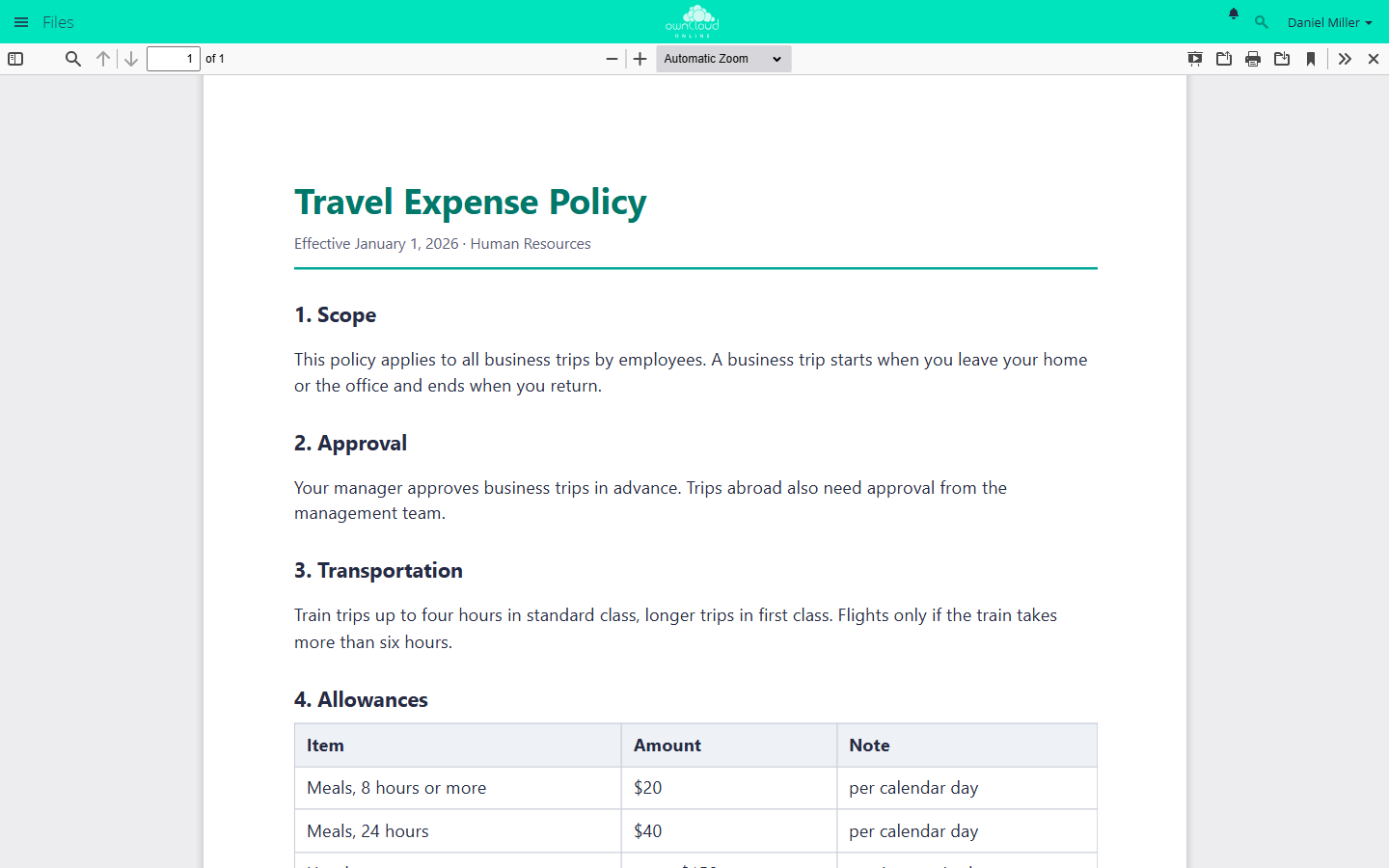
Clicking a PDF file opens it in the browser. Close the viewer at the top right.
Limits and notes
- If a share does not allow downloads, the viewer does not open the file. Instead, it shows the note "This shared file does not have download permission …".
- In unsupported browsers, the app does not register itself. Clicking a PDF file then downloads it.
Troubleshooting
| Symptom | Cause | Fix |
|---|---|---|
| The PDF is downloaded instead of shown | App disabled, browser not supported, or another app has taken over the default action for PDF | Check occ app:list, use a current browser, disable the competing app |
| Blank page in the viewer | Browser too old, or a browser security policy blocks the display | Use a current browser, check the messages in the browser console |
| "This shared file does not have download permission …" | The share does not allow downloads | Ask the file owner to allow downloads in the share |