

Background jobs (cron)
owncloud.online handles cleanup and maintenance in background jobs: cleaning out deleted files and old file versions, expiring shares, generating previews, sending notifications and activity emails, and refreshing folders on external storage. If job execution is not set up correctly, none of this ever runs. The instance looks normal at first, but it grows without limit and sends no email.
Execution modes
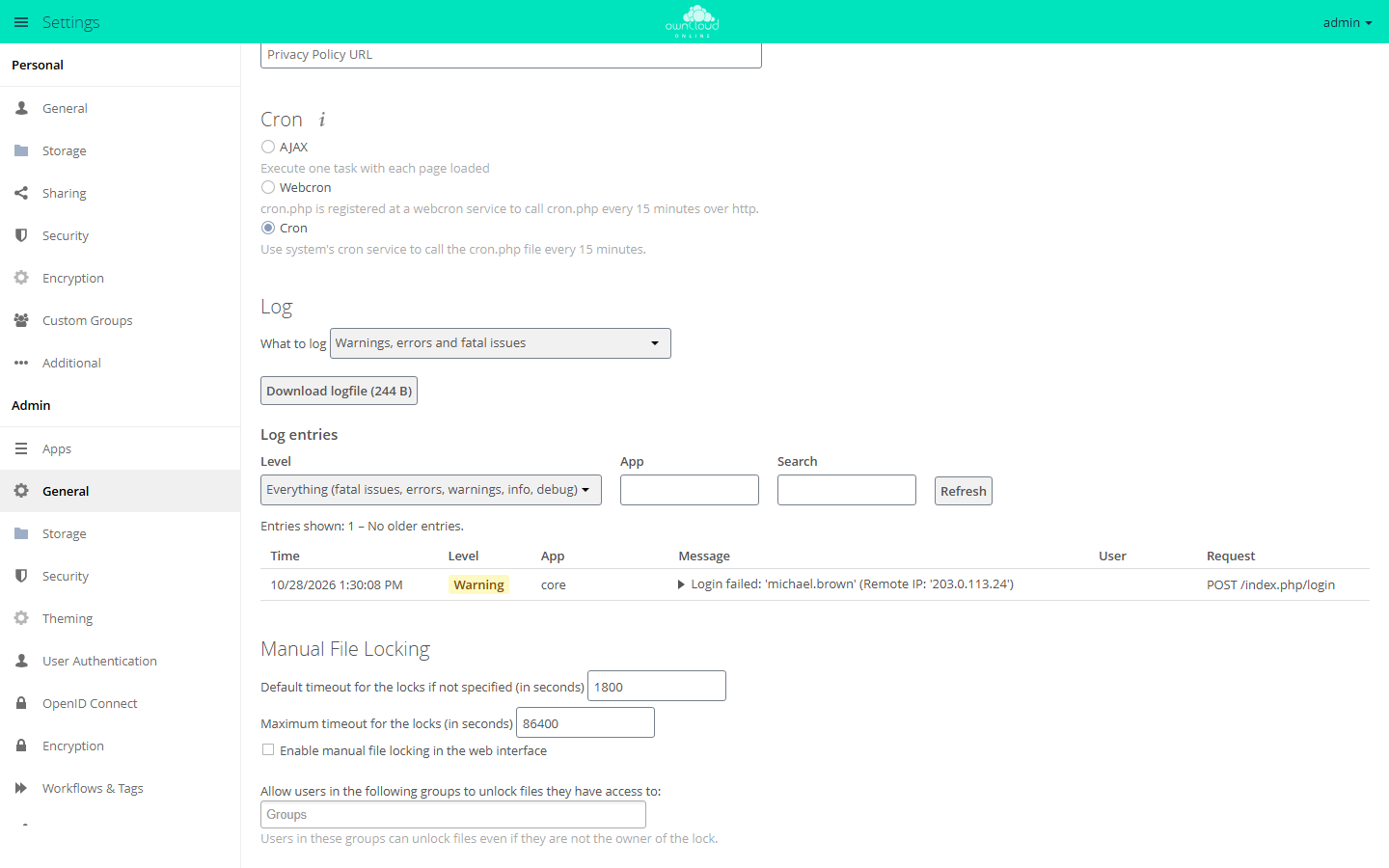
| Mode | Trigger | Assessment |
|---|---|---|
| Cron | System cron calls cron.php |
recommended, the only reliable option |
| AJAX | Every page load by a logged-in user | Jobs pile up while nobody is logged in |
| Webcron | An external service calls cron.php over HTTP |
Only if system cron is not possible |
Choose the mode under Settings → Admin → General in the Cron section, or
with occ, see below.
Setting up system cron
sudo crontab -u www-data -e
Entry (every 15 minutes; a run works for at most 14 minutes and is designed for this interval, so longer intervals let tasks pile up):
*/15 * * * * /usr/bin/php8.4 -f /var/www/owncloud.online/cron.php
cron.php hands over to occ system:cron and prints the hint "Please use
./occ system:cron" on every run. Cron mails any output to the owner of the
crontab if a mail program is set up on the server. To avoid that, call occ
directly:
*/15 * * * * /usr/bin/php8.4 /var/www/owncloud.online/occ system:cron
Then switch owncloud.online to cron mode:
sudo -u www-data php8.4 /var/www/owncloud.online/occ background:cron
background:ajax and background:webcron switch to the other modes. Every run
of occ system:cron, including through cron.php, switches the mode to cron
anyway, unless background jobs are turned off completely.
Checking that jobs run
# state of the job queue
sudo -u www-data php8.4 /var/www/owncloud.online/occ background:queue:status

# configured mode (expected: cron)
sudo -u www-data php8.4 /var/www/owncloud.online/occ config:app:get core backgroundjobs_mode

# time of the last run (Unix time)
sudo -u www-data php8.4 /var/www/owncloud.online/occ config:app:get core lastcron
lastcron should never be older than about 15 minutes. In the web interface,
Settings → Admin → General shows the same time ("Last cron job execution:
…"). If the last run is more than an hour ago, "Something seems wrong." is
added. If cron has never run, it says "Cron was not executed yet!".
Start a run by hand to test:
sudo -u www-data php8.4 /var/www/owncloud.online/cron.php

# same thing, with a progress bar
sudo -u www-data php8.4 /var/www/owncloud.online/occ system:cron --progress
--progress is only meant for manual runs, not for the crontab.
Common errors
| Symptom | Cause |
|---|---|
| "Last cron job execution: … Something seems wrong." | The cron entry is missing or runs as the wrong user |
| Jobs only run while users are active | The mode is AJAX and no system cron is running (every cron run would switch the mode to cron) |
| Deleted files and versions grow without limit | Cron is not running, check lastcron |
| No notification emails | Cron is not running, or email is not set up (see Sending email) |
| The cron run ends with "Console has to be executed with the user that owns the file config/config.php" | The entry is in root's crontab instead of the crontab of www-data. occ only starts as the owner of config.php; create the entry with crontab -u www-data -e |
| The run reports "We are in maintenance mode, skipping cron" or "Update required, skipping cron" | Maintenance mode is on, or an occ upgrade is pending; no jobs run until that is resolved |
Stuck or failed runs show up in the log, see Server log and error messages.