

Auto Expire
API key required
The Marketplace shows this app only to instances with an API key. You can request the key from BW-Tech GmbH. In the Market app, open Settings, click Add API Key, paste the key, and click Save. If the app does not show up in the catalog afterwards, click Clear cache. Details are under Market: Enter an API key. This page covers version 1.0.0.
Auto Expire cleans up old files automatically. Once a day, the app checks the accounts' own folders and moves old files to the trash bin. A file counts as old when it was uploaded and last changed more than the configured number of days ago. Users can restore it from the trash bin until the trash bin removes it for good.
Requirements
| Component | Requirement |
|---|---|
| owncloud.online | 11.x |
| PHP | 8.4 or later |
| Background jobs | Cron is running. The cleanup is a daily background job, see Background jobs (cron) |
| Trash bin | App files_trashbin enabled. Without the trash bin, files are deleted permanently |
| Expire Files | The app "Expire Files" (files_expire) is disabled, see Switching from Expire Files |
Installation
-
Enter the API key in the Market app as described in the box above.
-
Install the app.
market:installalso enables it:bashsudo -u www-data php8.4 occ market:install oco_expire # only needed if the app is present but disabled sudo -u www-data php8.4 occ app:enable oco_expire
You can also put the key into config/config.php:
'marketplace.key' => '<KEY>'. It then takes precedence and can no longer be
changed in the web interface. If market:install does not find the app even
though the key is set, the catalog is still cached from before the key: clear
the cache in the Market app or wait 30 minutes.
After the installation, deletion is turned off. It starts only when you turn it on in the settings.
Setup
Settings → Admin → Workflows & Tags, section Delete old files automatically:
| Setting | Effect | Default |
|---|---|---|
| Move old files to the trash bin automatically | Turns on the daily cleanup | off |
| Files older than … days (uploaded and last changed before that) | Age limit, 1 to 36500 days | 90 |
| Excluded groups | Members of these groups keep all their files | none |
When you turn the cleanup on or lower the number of days, the page asks you once to confirm that you checked the dry run. Below Save, the page shows the result of the last run, for example "Last run on …: 12 file(s) moved to the trash bin, 0 failed."
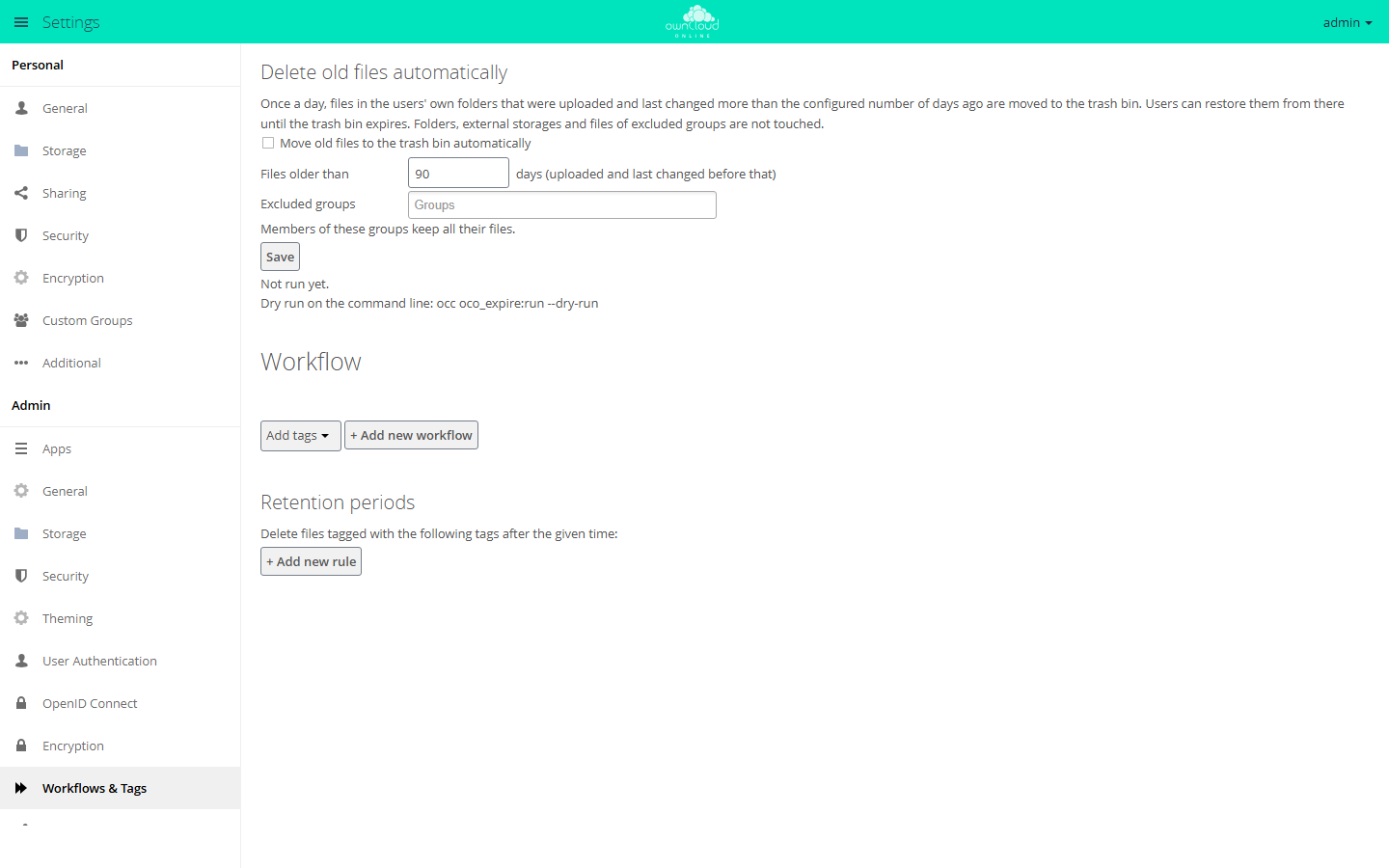
When enabled, owncloud.online moves files older than the configured number of
days to the trash bin once a day. Dry run: occ oco_expire:run --dry-run.
Dry run
Before you turn on deletion, the dry run shows which files the next run would move to the trash bin. It changes nothing:
sudo -u www-data php8.4 occ oco_expire:run --dry-run
sudo -u www-data php8.4 occ oco_expire:run --dry-run --user alice
Each line shows the account, the path, the date of the last change, and the upload date. The last line says how many files would be affected and how many accounts were checked and excluded.
When a file has expired
Both points in time must be before the limit, that is, before today minus the configured number of days:
| Point in time | Purpose |
|---|---|
| Last change | Files that someone is working on are kept |
| Upload time | Freshly uploaded files are kept, even if the desktop client brings along an old modification date from the user's computer |
The app records the upload time when a file is uploaded, created, copied, or restored. On local storage, the file's ctime in the file system counts as well. It changes on upload, move, and restore. The later of the two values applies. If neither is known, for example for old files on an object store, the time Auto Expire was installed counts. The app therefore moves such files no earlier than the configured number of days after the installation.
Not affected:
- Folders. They stay, even when they become empty.
- External storage.
- Received shares. Files are checked in the owner's account.
- All files of members of excluded groups.
Commands
| Command | Effect |
|---|---|
occ oco_expire:run |
Moves expired files to the trash bin now. Runs only if deletion is turned on |
occ oco_expire:run --dry-run [--user <UID>] |
Lists only, changes nothing |
occ oco_expire:import [--enable] [--force] |
Takes over the settings of "Expire Files" |
Exit codes of oco_expire:run, for monitoring or your own scripts:
| Code | Meaning |
|---|---|
0 |
OK |
1 |
Did not run: deletion off, an excluded group is missing, "Expire Files" still enabled, or unknown account |
2 |
Some files could not be moved |
Switching from Expire Files
Auto Expire replaces the app "Expire Files" (files_expire), which does not
work with owncloud.online 11, and takes over its settings.
-
Before the move, save the list of candidates on the old server:
bashsudo -u www-data php occ files_expire:dry-run > expire-before.txt -
Move the server to owncloud.online 11. "Expire Files" gets disabled in the process. Its settings stay in the database.
-
Install Auto Expire. The app takes over the number of days and the excluded groups and removes the orphaned background job of "Expire Files". Deletion stays off, even if it was on before. The settings page points this out.
-
Compare
occ oco_expire:run --dry-runwith the saved list. Differences are possible: if the files were copied during the move, they are new on the new server, and the period starts over there. -
Turn deletion on in the settings and save.
You can also take over the settings by hand:
# take over, deletion stays off
sudo -u www-data php8.4 occ oco_expire:import

# take over and turn on right away, if it was on in Expire Files
sudo -u www-data php8.4 occ oco_expire:import --enable

# take over again and replace the current settings
sudo -u www-data php8.4 occ oco_expire:import --force
Usage
Users do not set anything. They find expired files in the trash bin under Deleted files. Restore puts a file back in its original folder. A restored file counts as freshly uploaded and is kept for the full period again.
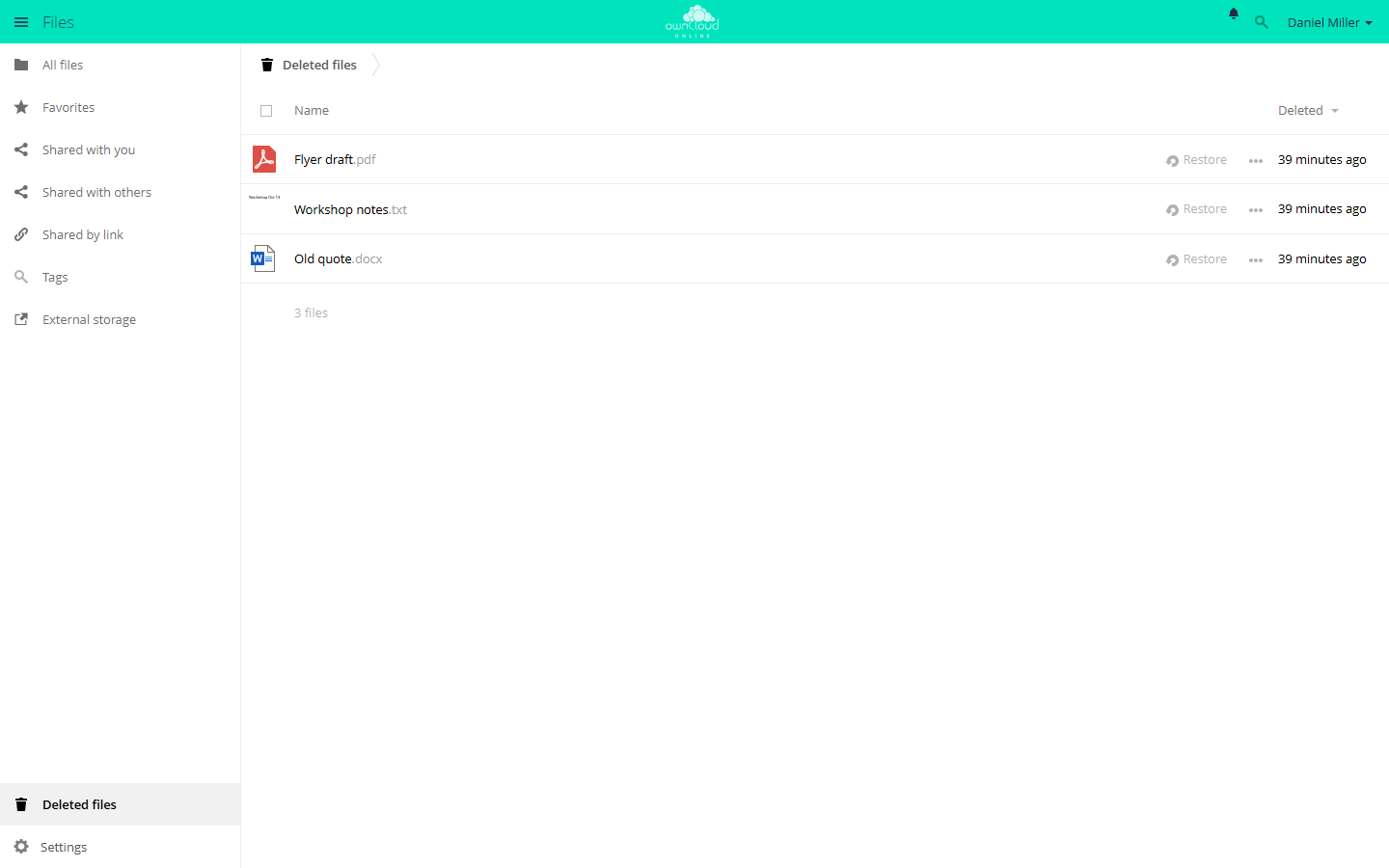
Files moved by Auto Expire end up here as well. "Restore" puts a file back in its original folder.
In the activity stream, the deletion shows "Automation" as the author, not the account.
Limits and notes
- While "Expire Files" is still enabled, Auto Expire deletes nothing. The settings page then says "The app Expire Files is still enabled. Auto Expire does not delete anything until it is disabled."
- If an excluded group is missing, because it was deleted or the directory server is not reachable, the run deletes nothing. Otherwise it would hit exactly the excluded accounts. The settings page shows the reason with the last run, and the server log has an error entry.
- If the trash bin is disabled, files are deleted permanently. The settings page then warns: "The trash bin is disabled: expired files are deleted permanently."
- How long files stay in the trash bin is set by
trashbin_retention_obligationinconfig/config.php. The defaultautohas no fixed period: owncloud.online removes the oldest entries only when the trash bin takes up more than half of the account's free space (trashbin_purge_limit, default 50 percent). Withauto, 30, a background job also removes all entries older than 30 days. - If
trashbin_skip_directories,trashbin_skip_extensions, ortrashbin_skip_size_thresholdis set, matching files skip the trash bin and are deleted right away. This applies to Auto Expire too. - The app does not check accounts that have never logged in.
- When the app deletes a shared file at the owner's side, it disappears for the recipients as well.
- For retention periods that apply only to files with a certain tag, use the Workflow app.