

Media Viewer
Available on the Marketplace
The app is listed on the Marketplace without an API key and installs directly from the Market app. This page covers version 1.1.4.
The Media Viewer shows pictures and videos in the browser, full screen, with paging, rotating, zooming, and video controls. It works in the file list and in public links to folders. Pictures come from the server's preview generation. Videos play straight from storage in the browser.
Requirements
| Component | Requirement |
|---|---|
| owncloud.online | 11.0 to 11.99 |
| PHP | 8.4 or later. For PNG, JPEG, WebP, GIF, BMP, and X-Bitmap, the gd extension is enough as long as the picture is at most 6016 pixels wide and high |
imagick |
for SVG, TIFF, HEIC/HEIF, and SGI, and for photos wider or taller than 6016 pixels |
| Previews | turned on (enable_previews, default true). Without previews, every picture stays blank |
ffmpeg or avconv |
only for video thumbnails in the file list, not for playback |
| Browser | must be able to play the video codec |
Installation
Open Market from the app menu, search for Media Viewer, and click Install. On the command line:
# install the app from the Marketplace; this also enables it
sudo -u www-data php8.4 occ market:install files_mediaviewer

# only needed if the app is present but disabled
sudo -u www-data php8.4 occ app:enable files_mediaviewer
Setup
The app has no settings page and no keys of its own. The preview settings in
config/config.php control what it can show:
| Key | Default | Effect |
|---|---|---|
enable_previews |
true |
false turns previews off. Every picture then stays blank |
enabledPreviewProviders |
see below | Active preview providers. They decide which picture types the viewer offers |
preview_max_x |
2048 |
Maximum preview width in pixels |
preview_max_y |
2048 |
Maximum preview height in pixels |
preview_max_scale_factor |
2 |
How much small pictures are scaled up. 1 turns scaling up off |
Without an entry of your own, these providers are active: OC\Preview\MarkDown,
OC\Preview\MP3, OC\Preview\TXT, OC\Preview\PNG, OC\Preview\JPEG,
OC\Preview\WEBP, OC\Preview\GIF, OC\Preview\BMP, OC\Preview\Heic,
OC\Preview\XBitmap, and OC\Preview\SGI.
If you set enabledPreviewProviders yourself, your list replaces the default
completely. So include the providers you want to keep. This example keeps all
default providers and adds SVG and TIFF:
'enable_previews' => true,
'enabledPreviewProviders' => [
    'OC\\Preview\\MarkDown',
    'OC\\Preview\\MP3',
    'OC\\Preview\\TXT',
    'OC\\Preview\\PNG',
    'OC\\Preview\\JPEG',
    'OC\\Preview\\WEBP',
    'OC\\Preview\\GIF',
    'OC\\Preview\\BMP',
    'OC\\Preview\\Heic',
    'OC\\Preview\\XBitmap',
    'OC\\Preview\\SGI',
    'OC\\Preview\\SVG',
    'OC\\Preview\\TIFF',
],
Video thumbnails in the file list also need the OC\Preview\Movie provider
and ffmpeg or avconv on the server. This has no effect on playback in the
viewer.
The browser receives the list of supported types when the page loads. After a change, reload the Files app.
Supported formats
| Kind | Types |
|---|---|
| Video | video/mp4, video/webm, video/ogg, video/quicktime. MP4 is the most reliable, the others depend on the browser |
| Picture | every image/… type with an active preview provider |
A video gets the viewer action only if the browser can play its type. Otherwise, clicking the file downloads it.
Usage
Click a picture or video to open the viewer. In the file's … menu, the entry is Open in Media Viewer. The viewer shows all matching files of the folder one after another:
- Move between files with the arrow buttons, by swiping, or with the left and
right arrow keys.
Esccloses the viewer. - Pictures: rotate in 90-degree steps, zoom in, zoom out, download.
- Videos: play, replay from the start, mute, full screen, jump to a position on the progress bar.
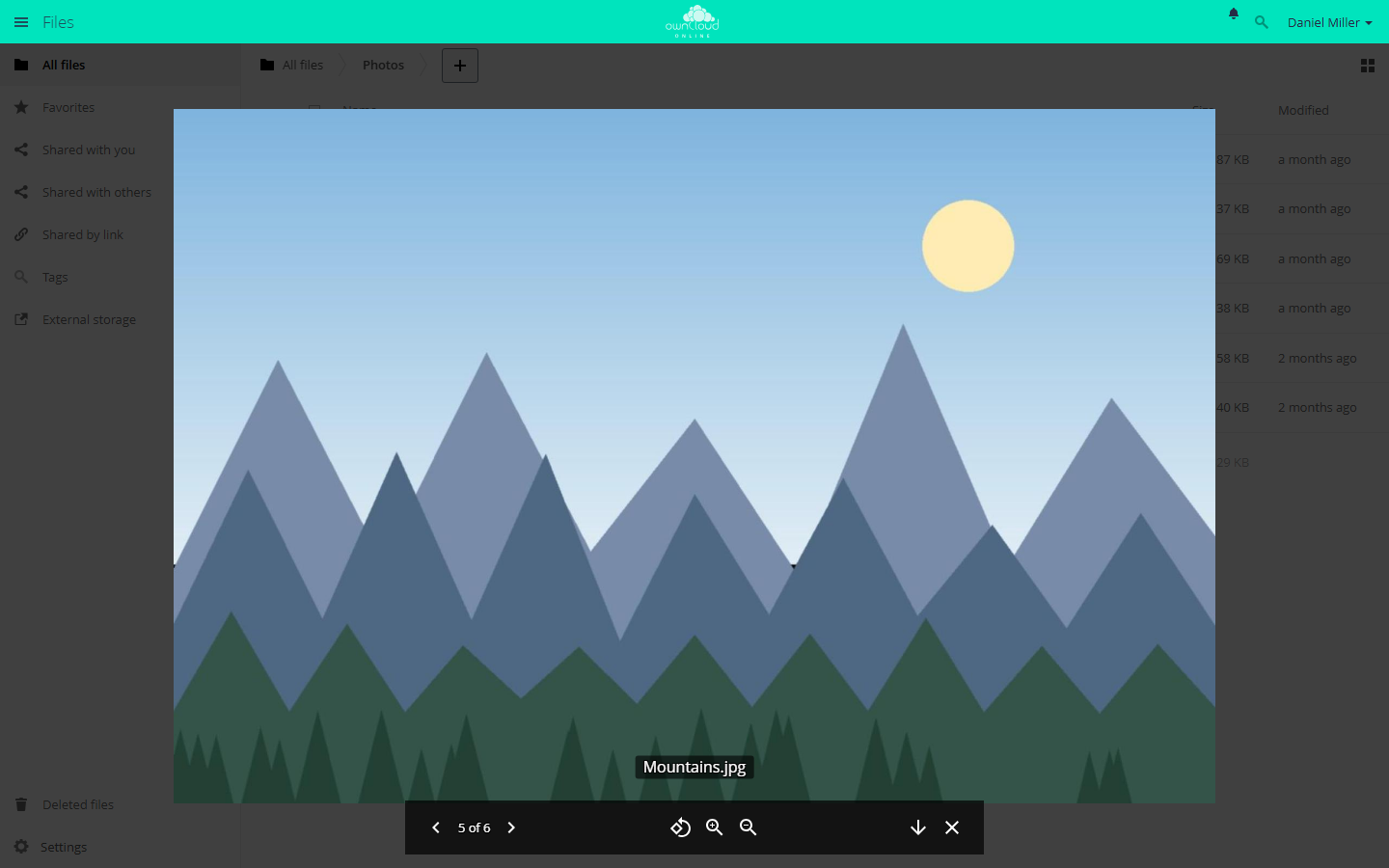
The Media Viewer shows the pictures in a folder one after another. Open it with "…" and "Open in Media Viewer".
Limits and notes
- Together with Gallery: Media Viewer and Gallery both register as the default action for pictures. If both are enabled, clicking a picture usually opens the Gallery slideshow, because Gallery registers its action later. Users then reach the Media Viewer with … and Open in Media Viewer. Videos still open in the Media Viewer.
- The viewer does not load pictures in their original size but as previews.
Depending on the window width, it requests 1024 to 3840 pixels, and
preview_max_xandpreview_max_ycap this at 2048. For sharper pictures on large screens, raise both values. - Pictures larger than 50 MB (
preview_max_filesize_image) get no preview and therefore stay blank in the viewer. - Videos are not converted. If the browser cannot play a codec, the only fix is to convert the file to MP4 (H.264/AAC).
Troubleshooting
| Symptom | Cause | Fix |
|---|---|---|
| Clicking a picture downloads the file | No preview provider is active for the MIME type, so the app offers no action | Add the provider to enabledPreviewProviders, install imagick if needed, reload the page |
| The picture stays blank, "Failed to load image data" | The preview does not respond, for example because enable_previews is false or no preview can be created for the file |
Check enable_previews and the provider list, then the server log |
| A video has no viewer action and clicking downloads it | The browser cannot play the codec, or the type is not one of the four video types | Convert the file to MP4 (H.264/AAC) or use a browser with a suitable codec |
| The video does not start, "Failed to load video data" | Fetching the file directly fails, for example because a proxy does not support range requests or read permission is missing | Check the proxy configuration and the share permissions |
| Large photos stay blank, smaller ones show up | The picture is wider or taller than 6016 pixels and imagick is missing, or the file is larger than 50 MB |
Install imagick. For larger files, raise preview_max_filesize_image in config/config.php (value in MB, -1 for no limit) |
| Pictures look blurry | Previews are capped at 2048 pixels, small originals are scaled up | Raise preview_max_x and preview_max_y, set preview_max_scale_factor to 1 |